My Second Box Launches – Showing Off Two of Five!

When I was growing up, we’d drive to the city to shop. We’d shop at Ayres, and at each department we’d tell the clerk, “for delivery.” Makeup was purchased at department stores, Bluegrass perfume (appropriate for young girls), an odd bob or doodle for your hair, and the items you NEEDED – nylons, new shoes, a sweater or two, maybe coats.

My grandmother and mom were usually with me. We’d eat lunch at the tea room, maybe finish up the shopping in the discount cellar for fun and drive home. Magically, the next day, a truck would arrive with brown wrapped packages with all of our purchases in them. Continue reading

Blogger Carnival

Blogger Carnival

It’s Second Life’s 9th birthday and Gidge and I applied for exhibit space at the big SL9B expo. Mostly it was a whim. Gidge was going in for a a surgery that day and you don’t argue with people who are getting surgery, so I filled out the application never actually expecting we would get in because neither of us are builders. But then we did!

Now we had two weeks to flesh out our whim into something that was worthy of the event. Since the theme for SL9B is Community, it seemed wise to reach out to others in the blogging community and invite them to work with us, creating something from the fashion blogging community and not just from It’s Only Fashion.

In the end, we have tutorials from all of these bloggers.

  • Cady Aldrich of Divine Patterns
  • Cajsa Lilliehook of It’s Only Fashion
  • Gidge Uriza of It’s Only Fashion
  • Gogo of JuicyBomb
  • Kesseret Steeplechase of Shopping Cart Disco
  • Lourdes Denimore & Salvatore Otoro of Shopping Cart Disco
  • Sasy Scarborough of Sasypants.com

It opens Monday, June 18th, though there’s a press/blogger preview today.
Blogger Carnival at SL9B

List of Resources

Cady Aldrich: Divine Patterns
SLRaw Photo Tutorial

Gogo: JuicyBomb
Emotes and Slow Motion Animation

Kesseret Steeplechase
Blogging Syndication Tips

Lourdes Denimore & Salvatore Otoro
Creating Emotional Couples Photos
On-site photo set for you to try

Sasy Scarborough: Sasypants.com
PhotoScape – an alternative to PhotoShop
Blogger Carnival SL9 Birthday Event

Gidge Uriza: It’s Only Fashion
Filter Funhouse
Picking Your Pose

Cajsa Lilliehook: It’s Only Fashion
Reflections of You
Mirror Mirror On the Floor
Chairoscuro
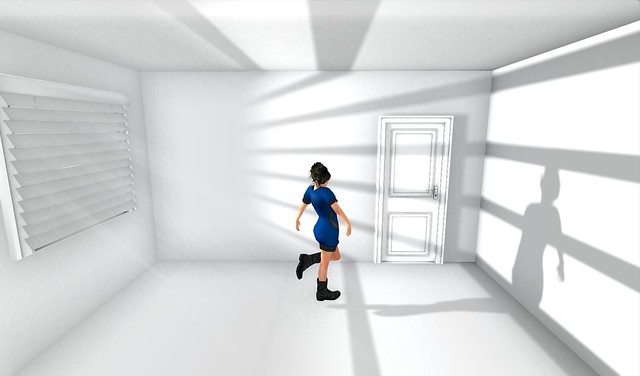
Lighting, Shadows and Projectors, Oh My!
All of the four above have an on-site set for you to try.
Alternatives to Photoshop

Gidge Uriza & Cajsa Lillieihook: It’s Only Fashion
These are older tutorials that we thought would be useful basics. 

Evelyn Hartshon & Cajsa Lilliehook:
Blogging Second Life


Filtercam Funhouse

As part of our exhibit at SL9B I wanted to showcase all the things you can do with an image without photoshop.  There seems to be an ongoing idea that all bloggers require photoshop to be able to blog worth a damn.

Well, I’ve never owned photoshop and I thought I’d show you one of the tools you can use to make your photos more interesting, festive or tell a story – without having PS.

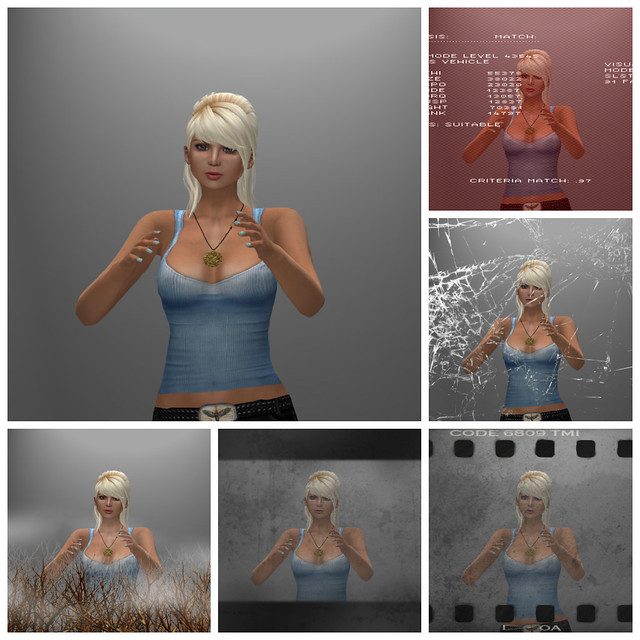
The picture above is me, in neutral lighting with my arms up – see the largest picture. It’s kind of a random pose, and that’s why I chose it. But if I employ a photo-hud, in this instance FILTERCAM I can convey a different mood by choosing different filters over my avatar.

I can make her look like she is escaping or celebrating, just by changing the mood with a filter.

This is a very small sampling of the available changes I can make to one posed avatar’s picture using Filtercam from Mechanized Life.

I have done a couple of tutorials on the details and step by step of how to use Filtercam HERE  and HERE . I think it’s one of the simplest to use and most fun tools bloggers and photographers of Second Life have to make their photos shot in world interesting without having to own PS.

You can tell a story with your pictures, without post processing at all.

Filtercam is available on Marketplace along with an extra pack of more filters for those of you who can’t get enough.

Alternatives to PhotoShop

Photoshop is wonderful software and I have loved it for many years. I just recycled by floppies from the early version I bought for my MacSE when I moved last year. I really didn’t need them to prove anything to upgrade any longer since there’s no place to insert floppies any more. Upgrading from version to version, the price of the software does not slap you in the face like it does if you are buying it for the first time. For the kind of editing I do for my blog, there’s just no justification for spending that kind of money – particularly when there are so many alternatives that are free.

Applications you download

  • GIMP. GIMP is the granddaddy of the free alternatives. It’s open-source and the word GIMP stands for SNU Image Manipulation Program, it’s very name signaling its open-source street cred. It’s available for Windows, Linux and Mac. It has tons of bells and whistles and there are users who swear it’s even better than Photoshop. If you tried GIMP a few years back, its user-face is easier and more user-friendly than it used to be.
  • GimpPhoto: Based on GIMP with a more PhotoShop like user interface. For Windows and Linux.
  • Photoscape: This is a Windows only program. Sasy Scarborough at Sasypants.com swears by it and has done a great tutorial on using it, including a movie.
  • Paint.NET is another Windows only program. It was supposed to just be a replacement for MS Paint, but it’s grown beyond that old program into a decent photo editing application.
  • ChocoFlop: This is a Mac only program that takes advantage of Mac’s architecture to allow fast, non-destructive photo-editing. It’s no longer being updated and developed, but is still available and totally free.
  • Pixelmator: A super cheap ($14.99) alternative to PhotoShop for Macs only. Seriously, for $14.99 you get content-aware fill. What more can you ask for?
  • CinePaint: Actually it’s designed for making animated films, but has great image-editing capabilities and it’s free. Mac software.
  • Pixia and Phierha: For Windows users. Created to make anime/manga illustrations, it’s a powerful image editor. Phierha is an newer version of Pixia with more features and a redesigned interface.
  • Inkscape: Inkscape is more accurately an alternative to Illustrator, but has a lot of good tools for editing. For Linus, Windows and Mac.
  • PhotoPlus: has standard image editing tools plus drawing brushes. Windows only.
  • Mac Preview: Preview is not just for peeking at your photos before deciding which to keep and which to toss. You can crop, edit, add text and do manage basic photo-editing tasks with the free app that comes already loaded with your Mac.
  • PhotoFiltre: Windows only. If you want maximum flexibility to add lots of filters, this image-editing program is very focused on allowing you to add filters. There are more than 100 filters with this program.
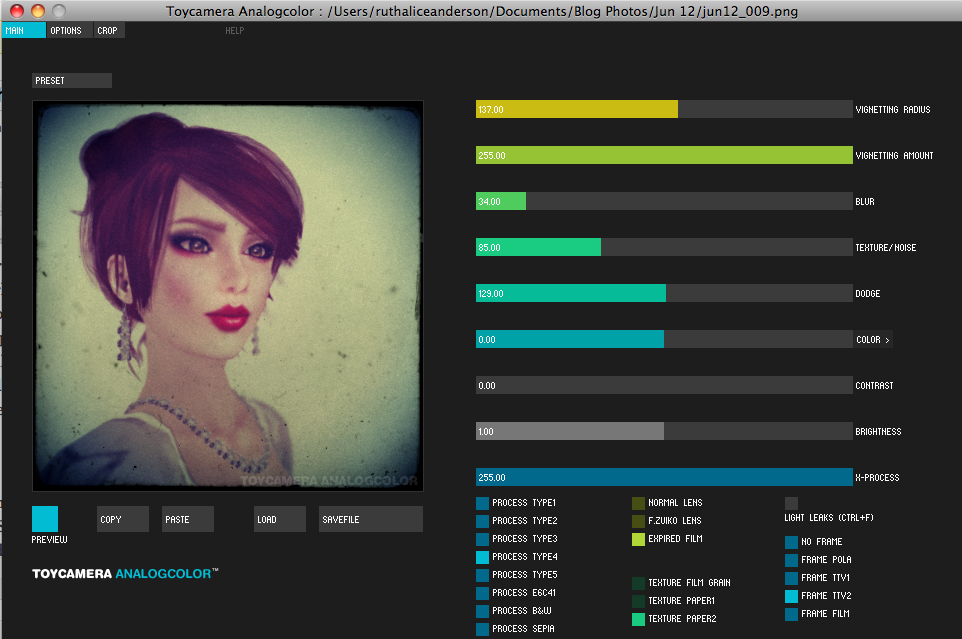
  • ToyCamera AnalogColor: Even people with PhotoShop will want this little app though it’s not free. (¥1,050 or $13.35.) It’s super easy, full of effects and they work so fast that you can lose yourself in trying them out. For Mac and PC.

ToyCamera AnalogColor is well-named because it’s so much fun to play with it.


Web-based Editors

  • PicMonkey: Gidge and Gogo love this one.  It has an easy collage-making interface and tons of special effects you can use on your photos. PicMonkey is so free you don’t even have to give them your email address. No registration required!
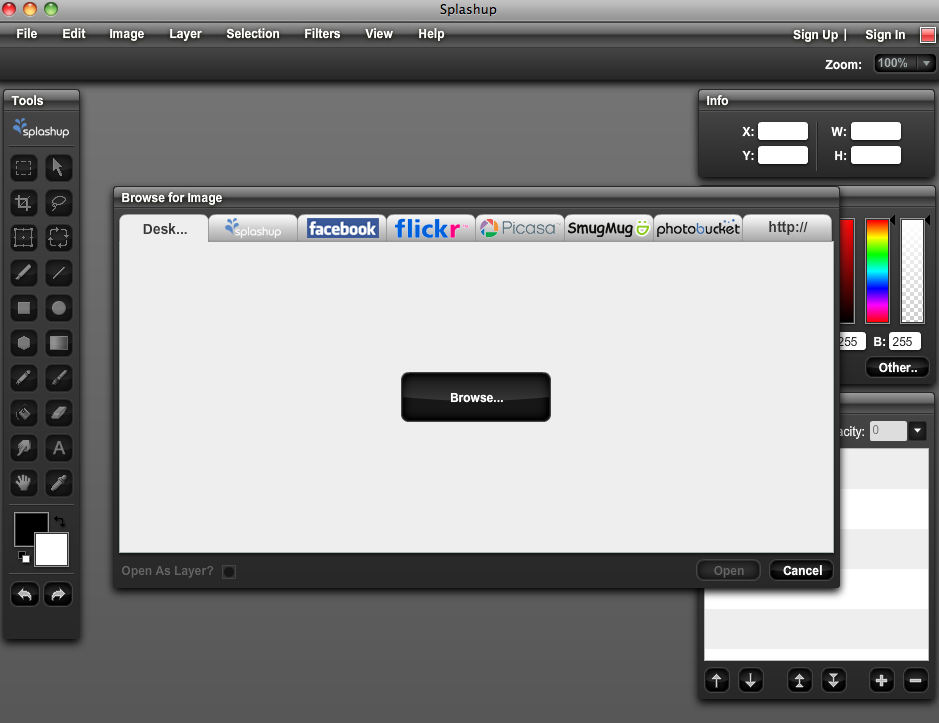
  • Splashup: Integrates seamlessly with Picasa, Flickr, Facebook, Photobucket, SmugMug and their own photo-hosting at SplashUp. Lets you edit several photos at once and feels like an application.
  • Photoshop Express: Yes, an alternative to Photoshop is Photoshop! This is a web-based version of Photoshop with some useful tools like dodge and burn and fun effects like color pop that lets you make a black and white picture with one pop of color.
  • G-Plus Creative Kit: If you have G-Plus and upload your photos there, you can edit them using their creative kit. It’s super-easy and there are lots of fun effects and basic editing options. Making a duotone has never been easier.
  • Aviary – the new photo editor that directly links to Flickr. Works on your mobile phone and with Facebook. Very easy to use.
  • FotoFlexer: In addition to lots of retouching tools, effects and other basic tools, this lets you work with layers, curves and liquify. It also integrates with most common photo-hosting sites.
  • LunaPic: If you are in love with effects, this might be your favorite. Works with Facebook, Picasa, Flickr and Photobucket.
  • Photo-kako.com: The interface is a little confusing,  probably due to non-native English speakers doing the translation. However, there are so many toys to play with in adding fancy effects and filters to your photos, you won’t mind experimenting.
  • Pixlr.com: Super easy with fun effects that you can run through one after another. It’s also entertaining to use the Pixlr-Matic retro effects. The work window looks like a developer tray and when you move your cursor the developing fluid ripples under the cursor. Who knew editing could be such fun!
  • Big Huge Labs: Helping you do cool stuff with your digital photos since 2005. Make your own movie poster or magazine cover. Try out fun effects. It’s a great place to play.

Splashup integrates seamlessly with many photo hosting sites.

This and other tutorials are all featured at the Blogger Carnival at SL9B. With tutorials from eight bloggers, the Blogger Carnival will have lots of tips and in-world sets for your to practice your new skills. It opens Monday, June 18th.  Blogger Carnival at SL9B

Updated to add Pixlr.com and Big Huge Labs.

Mirror, Mirror on the Floor: A Tutorial

SL9B

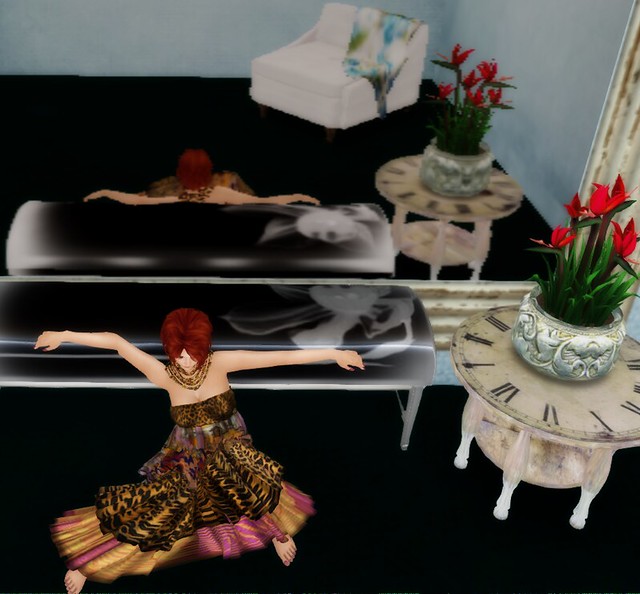
What with Snow White, Snow White and Snow White, it’s about time we had some mirrors in Second Life. It seemed a logical next step after the reflections in the previous tutorial, though I was more in the market for a homey little mirror rather than some grand baroque masterpiece with a talking head. Though, that makes me wonder if there were a talking head on a prim just under the water…

Continue reading

Reflections of You: Tutorial

Way back in January, I saw a fantastic tutorial by Graphic Dix for Modavia Fashion Marketing on using Second Life’s water in an innovative way to capture reflections. We’ve all stood on the bank of a river or waded into the ocean and admired our reflections, but he took it to a new level.

SL9B

I wanted to do something similar and experimented a little bit and ended up going in a slightly different and, perhaps, easier direction, though achieving the same effect.  I began by finding a texture, in this case some mossy pavers from Zooboing Creations. I made a copy of the texture and using a big soft-edge eraser, I erased part of it, leaving it open alpha areas.

Continue reading

You know what? You don’t have much time!

Hello, people, i hope everyone is doing good 🙂

There are a few events currently going on and for one of them you only have a few hours left to get nice items at discounted prices. I’m talking about the Fifty Linden Friday, which is back, and Collabor88.

So, let me show you what i liked the most in both the collections.

Snapshot_001

Snapshot_002

Continue reading

Picking Your Pose – A Tutorial

It might seem intuitive that if you’re a blogger you know what you’re looking for in poses but I know as a new blogger, I certainly didn’t know.  So for part of our SL9B celebration, I’m offering up poses 101, what you’re looking for as a consumer.

I do make poses, and while I’ve been doing it almost two years I’m nowhere near a veteran. But for the sake of diplomacy, I’m only using poses I’ve made to demonstrate the good and the bad of static poses. Continue reading

Narcissus With Red Lips – Another SL9B Preview

Narcissus in Red Lipstick

As Cajsa and I feverishly work on our SL9B exhibit, I took a break to snap another pic on our parcel because I just finished up my half of that work and was kind of excited.

I’m not going to spill the beans on our parcel’s theme but I think that the great big blogger family of SL will find it fun and interesting if nothing else.

The reason we have a parcel, is as Cajsa put it “Gidge had a whim.” That’s true. It was one of those messages I kept seeing on log in so HEY YAY FOR MARKETING I GUESS IT WORKED, and I was thinking, that’d be kinda cool, participate – be part of the community. In my mind, I had something very simple planned. I said “Hey CAJSA SIGN US UP.” And she did, we got accepted and she flailed “OMG NOW WHAT?” I had no idea.

Cajsa,  on the other hand does nothing half way, and what went from my whim has turned into a full on project that’s just amazing.

She’s lovely like that.

SL9B is coming……..

Pose – Status

mmmmm…luscious red lips

jun12_007

Red lipstick! Red lips are the ones the songs are written about. One of the great musicals of all time can be brought to mind with just a single image of red lips. They’re powerful, bold and iconic. And they’re not for everyone, except today. Today is Red Lip Wednesday. Hopefully lots of us bloggers will flash our ruby red lipstick today.

Of course, nothing suits every person. We have our likes and dislikes. There are fashions I dislike and fads that leave me confounded and confused and asking why? Mostly though I shrug my shoulders and think to each his own. Certainly if we all looked the same and liked the same things, the world would be a much more boring place. So, let’s hear it for red lips! Here, there and everywhere.

jun12_011

I tossed this outfit together pretty quickly after shooting the wedding dress on Monday just before my set at The Velvet. There was no way I was dj’ing in a wedding dress! I remembered the gorgeous skirts from NYU for faMESHed. There were several colors and I loved them, so I pulled out another color. I dug around in my system clothing for something to wear with it and found this old top from Kunglers.

Continue reading