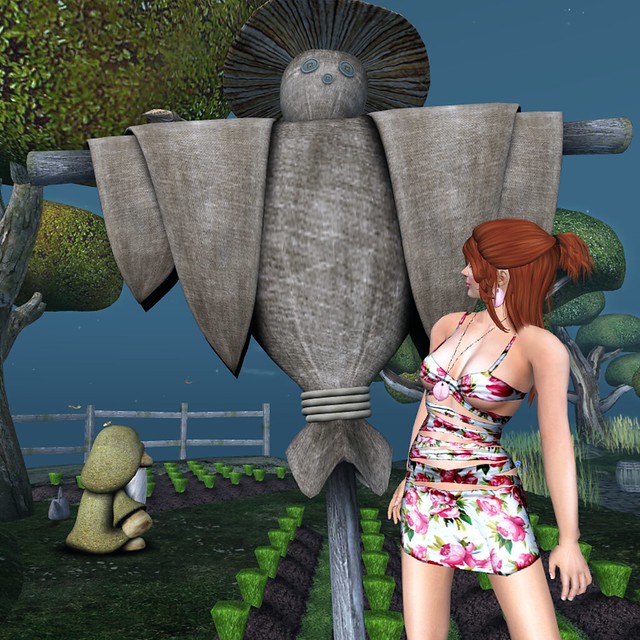
This post had a title but I lost it. I thought it might have fallen in the water in Mexico Distrito Federal, but I didn’t see it floating around down there and I certainly am not jumping in the water.
Author Archives: Cajsa Lilliehook
Que le vaya bien.
Adios a Mexico, Distrito Federal, lo faltaremos mucho. It’s always said to hear that another sim is leaving. I know there is a cycle and new sims are born and old ones get sold, remade and revived sometimes, but I would love to get new sims and still keep old sims. I don’t know the reason D.F is closing or when its last day will be, but I am going to shoot a few sets there before it goes. Distrito Federal, or DF, is a sim based on Mexico City, but many of its charms come from navigating the underground and exploring the powergrid. There are many levels to the city and you should explore them before it’s gone.
Sparkle
The Cloud 9 dress from Icing had such a lovely sparkle that I had to find the right setting to show it off. I hopped around exploring new places for about 40 minutes before deciding to go back to the wonderful, tried and true, Embryo.
Embryo is such a beautiful sim and so romantically lush with flowers and that gorgeous rich, red draping that I am in love with.
Continue reading
B O O K (with a mesh movie so you can see it in action)
I am in love with the art installation B O O K at Shinsekai. I think I have been back five times. I have to thank Olela for sending me the landmark, because it’s places like this that rekindle my excitement and enthusiasm for SL. I decided to try to capture my walkthrough and wear this mesh dress from Jane to highlight through movement what it is about mesh that gets fashionistas excited.
[youtube=http://www.youtube.com/watch?v=6s2hrcQa3l0]
I am no machinamist and haven’t a clue what I am doing when making a video, so forgive the clunky transitions. The walkthrough took about 10 minutes and I edited to three and a half. I just hope that you can see how well mesh moves and get inspired to visit B O O K for yourself.
Continue reading
And Now for Something Completely Different
As you can see, despite having worn this dress for a few days while I ran hither and yon and snapped and screenshotted for three different tutorials, this dress has resisted all stains and wrinkles. I think it’s perfect travel wear and should go with you on all your journeys. The top and skirt are from Fashionably Dead and are beautifully made. I love the understated colors in these pieces and the rich details such as the floral print inset on the skirt and the little buttons on the sleeves.
Continue reading
Lighting, Shadows and Projectors, Oh My!
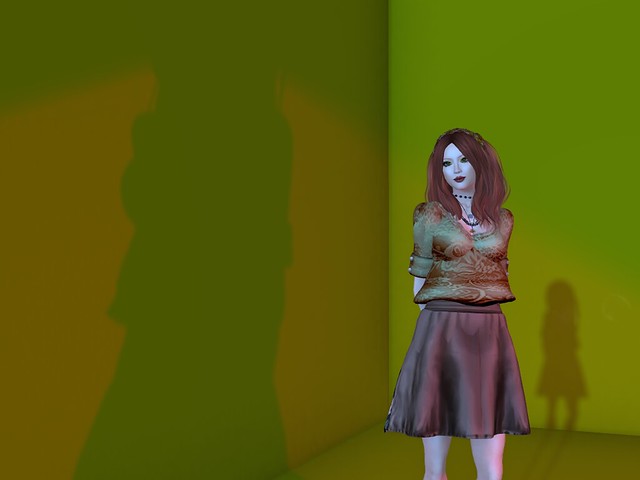
So, now that my preferences are set and I have fine-tuned my windlight settings, I can finally take a picture! Whew! But wait, my necklace is missing pieces and my feet show through my shoes. I even have some bald patches! And after all that work!
Never fear! Debug is here!
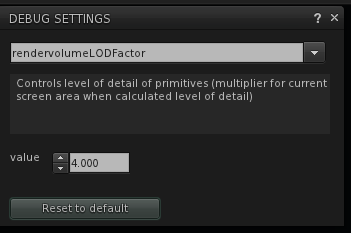
Open Debug Settings from the Advanced Menu and type in rendervolumeLODFactor. It will autocomplete by the time you type L which stands for LOD which stands for Level of Detail. You want this set at 4 or higher. I find that 4 is high enough for everything I am wearing, but I suppose if I wanted to see the hazelnut in the raven’s claws 75 meters overhead, I might want to crank it up higher.
Where Did They Hide My Windlight?
Those of us who have installed Second Life viewer updates recently have all had a moment when we said “Gack! Where’s my windlight? What have they done!!!” Actually, I am sure most of us had more profane things to say as we struggled to understand this new interface. My first reaction was totally negative. I have found a couple silver linings, though, to the grey cloud that is the new interface and struggled through. I am sure that other folks who are also exploring the new interface has even more ideas of how to use it more easily and hope everyone can share their tips, because the new interface has confounded some folks. As I get more comfortable with it, there are some things I value.
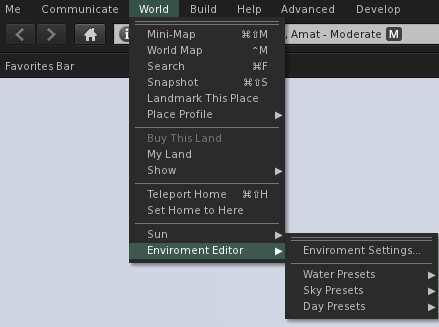
The Environment Editor is in the same place as ever, though we have faster access to the different components of the editor than before. They have also given us some additional day presets so we can choose our Second Life environment and still have it cycle through day and night. This will be a great benefit to role-playing sims and other sims that want a day and night cycle, but want a different environment than the default we are all used to.
Ambitious people can create their own Day Cycle or Fixed Sky settings and make them the default for their region, giving people a much stronger level of control over how people experience their sims. We used to get notecards at a sim with a suggested windlight setting we could replicate if we weren’t too lazy. Then we could get notecards in some viewers that we could click on to import a setting or get a link to a preset we could download and install, if we weren’t too lazy. Now, all we have to do is got there and unless we override the region’s lighting with our own, we will see what they want us to see. That’s a bonus.
The All-In-One Set Up Tip Sheet
For some reason the regular Second Life viewer decided that I could only log into the beta grids. I tried all sorts of things to convince it that I wanted to go elsewhere, but it ignored me and kept defaulting back to the beta grid. Eventually I manual deleted all my App Settings folders for Second Life, deleting the cache, preference, everything. Since I had to reset my preferences anyway, I thought I might give you a walk-through of how I set up my computer to shoot photos.
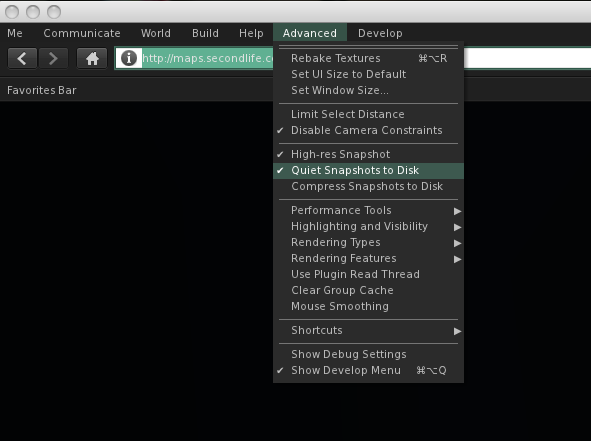
First I press CTL-OPT-D to open the Advanced Menu. I want to be able to cam all over with my camera so Deselect Limit Select Distance. This not only lets me edit things far away, but I can also option-click on them to bring them into the exact center of the picture. Then I Disable Camera Constraints so I can move my camera vision all over, far away or close up. I select High-Res Photos because it doubles the pixel count of the pictures you save. I also select Quiet Snapshots to Disc so that I don’t get the click sound and also so I don’t make a cheesy smile in every picture. I also enable the Show Development Menu for some things later one.
(Handy Tip #1: See that Rendering Types Menu. Remember that! If you are editing a prim and it runs away from you and gets buried in a mountain or if you move your pose stand and accidentally lower it into the ground you can go there and rescue your lost and buried items. Just deselect Surface Patch and the ground disappears and there your things are.) Continue readingThe Geometry of Sound
Of course I had to check out SL 3.0 and mesh clothing. I was curious about how it looked, how it behaved and needed to see more than someone else’s experience to really understand it. The moment it clicked for me was when I tried to click the edit window, not to edit it but to move it just a mm higher and discovered when the say you cannot edit it, they really mean you cannot edit it. I had presumed they just meant I could not resize it for my shape, which is also true. Luckily for me, the large size Jane skirt fit my shape, though giving me more booty than I am used to. I only wanted to raise it a hair because of the belt, not the skirt itself. I edited the belt instead, turning it a bit so its orientation didn’t have it cut into the skirt.
Continue reading
Make It Quick
I am going to make this quick because I have friends on their way over shortly. Here’s another fabulous item from the Platinum Hunt – a super-sexy dress from Magoa. While we all have seen dresses with a similar open-work style, it’s really cool to see it in a print.
Continue reading